Shift
Shift @shiftbrowser ·
Did you know you can make one app shortcut appear in every Space (or just selected ones). Right‑click the app > Edit App > Space Shortcut > “All” or “Custom”. Less duplication = more clarity. #EfficientWorkflow #ShiftTips
138

Shift
Shift @shiftbrowser ·
Want your setup to be the same across devices? Turn Sync on: Quick Settings > Advanced Settings > Accounts & Preferences > Turn on Sync. Your Spaces, Apps, & settings follow you. #WorkAnywhere #ShiftTips
103
Shift
Shift @shiftbrowser ·
Add your favorite tools: Gmail, Slack, Trello & more. In Shift: Click into the Space you want to add an app > ‘+’ icon > Add App > Search the library > name it & pick a highlight color. #WorkflowHacks #ShiftTips
123
Shift
Shift @shiftbrowser ·
The holidays are noisy but your browser shouldn’t be. Stay in command of your digital domain. 🛠 Tip: Open Advanced Settings › On Startup, make sure “Continue where you left off” is ON so Shift always opens with your tabs & Spaces ready. #CommandYourDomain #ShiftTips
96
Sandra Hinshelwood
Sandra Hinshelwood @Hinshelwood_S ·
Nurses, caregivers, and healthcare workers: streamline your day and reduce physical strain with these practical ideas. businesspartnermagazine.com/stay-efficient… #HealthcareWorkers #ShiftTips
How to Stay Efficient in Physically Intense Jobs - Business Partner Magazine

Practical tips to stay efficient in physically intense jobs by managing energy, using smart tools, and improving workflows without burning out.

From businesspartnermagazine.com

4
Shift
Shift @shiftbrowser ·
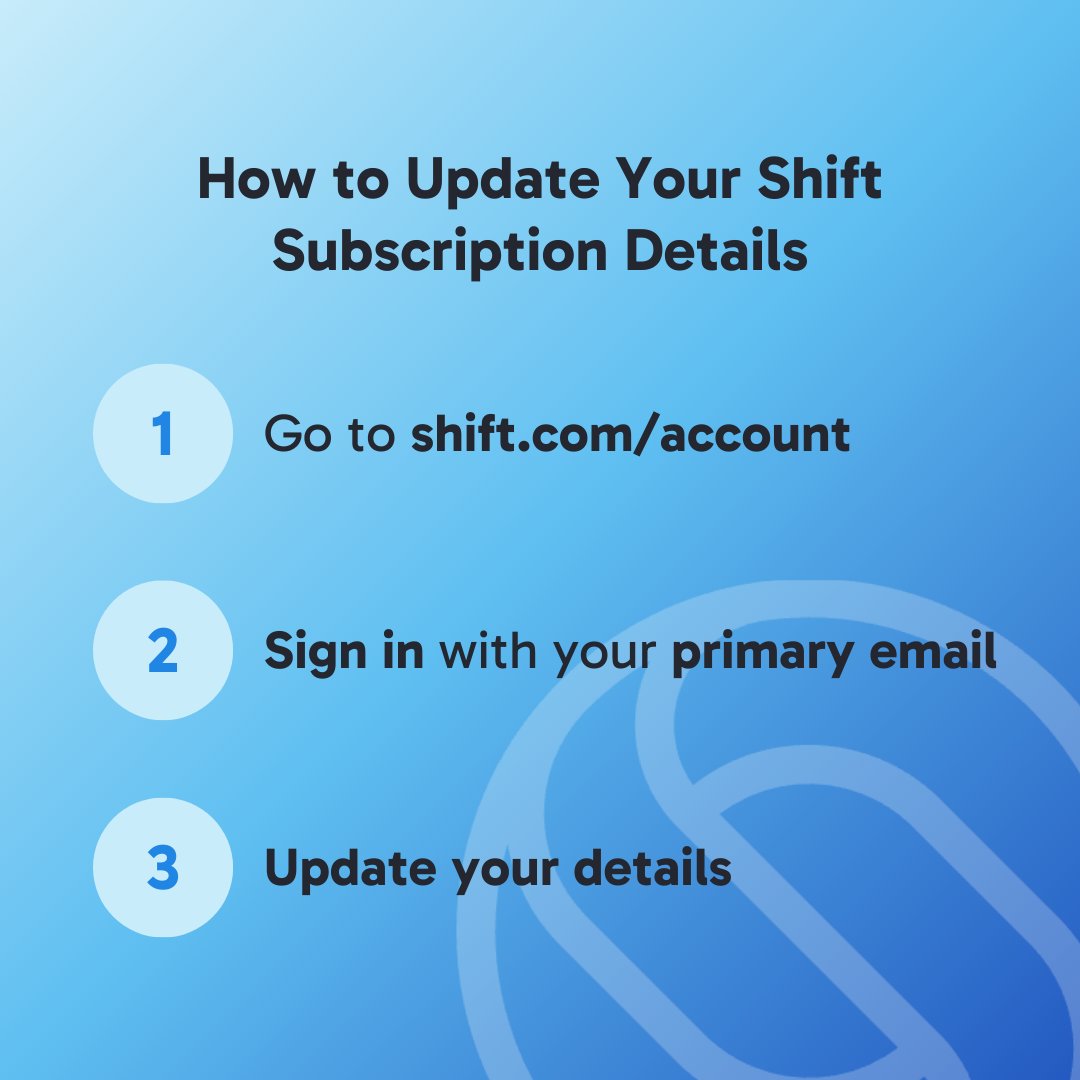
Need to update your Shift subscription? Whether it’s your address or billing info, it’s easy! 🛠️ Just head to the Account Portal, sign in with your primary email, and make the changes you need. ✅ #ShiftTips #ShiftSupportD
191
SHIFT Enterprise Academy
SHIFT Enterprise Academy @SHIFTVentures ·
Entrepreneurs: It’s not just about the idea—it’s about solving a real problem. 🌱 Start with a pain point, not a product. When you’re truly helping others, success follows. Let’s create solutions that make a difference! 💼💡 #SHIFTTips #StartupLife
1
Shift
Shift @shiftbrowser ·
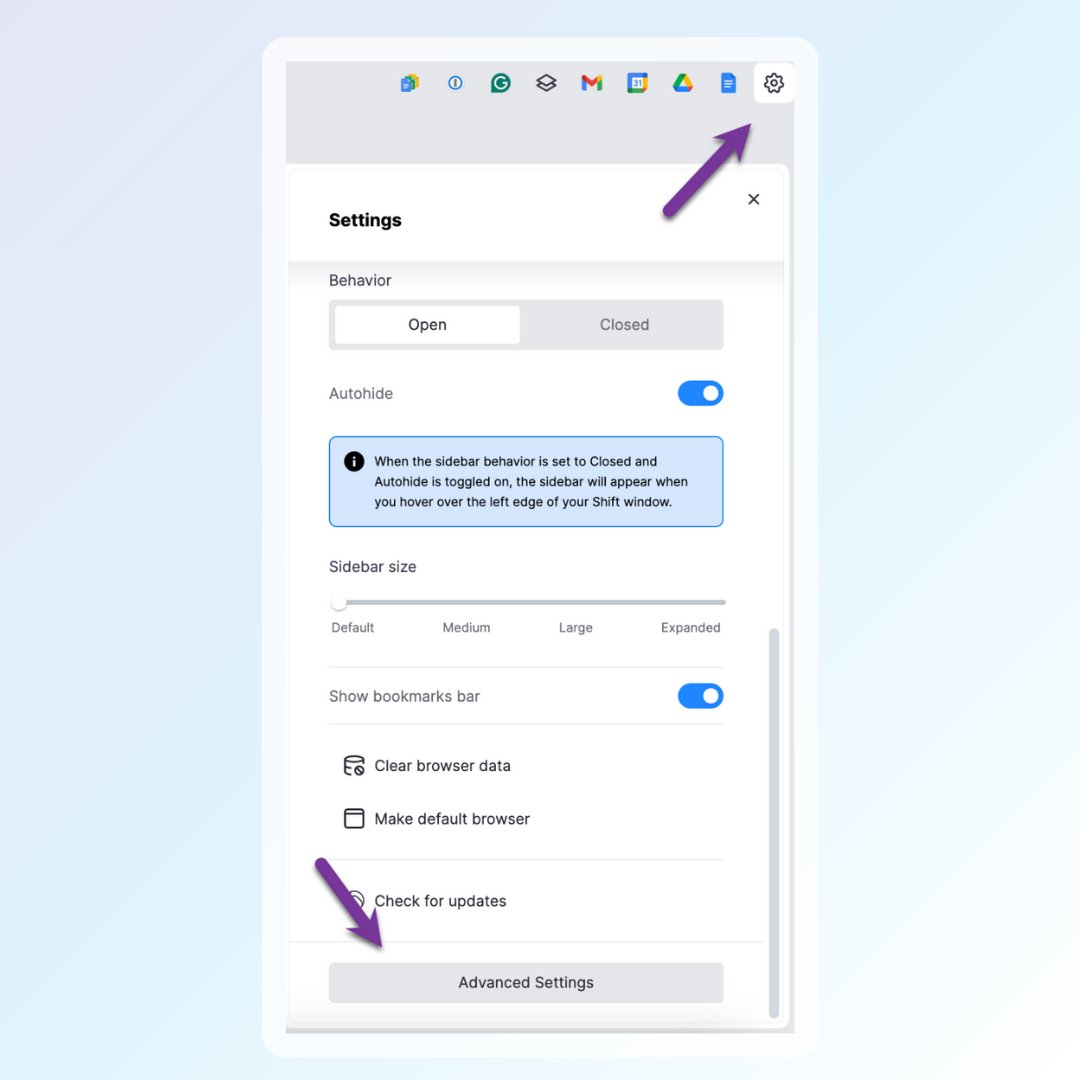
🔧 Need to tweak your setup? Accessing Shift settings is easy! Just click on the gear icon ⚙️ in the top right corner for Quick Settings. Scroll to the bottom for Advanced options #ShiftTipsE
167
Shift
Shift @shiftbrowser ·
Having issues with your inbox? 🛠️ Try double-clicking the email icon at the top right corner of Shift to refresh the page! #ShiftTips #QuickFix
110
Shift
Shift @shiftbrowser ·
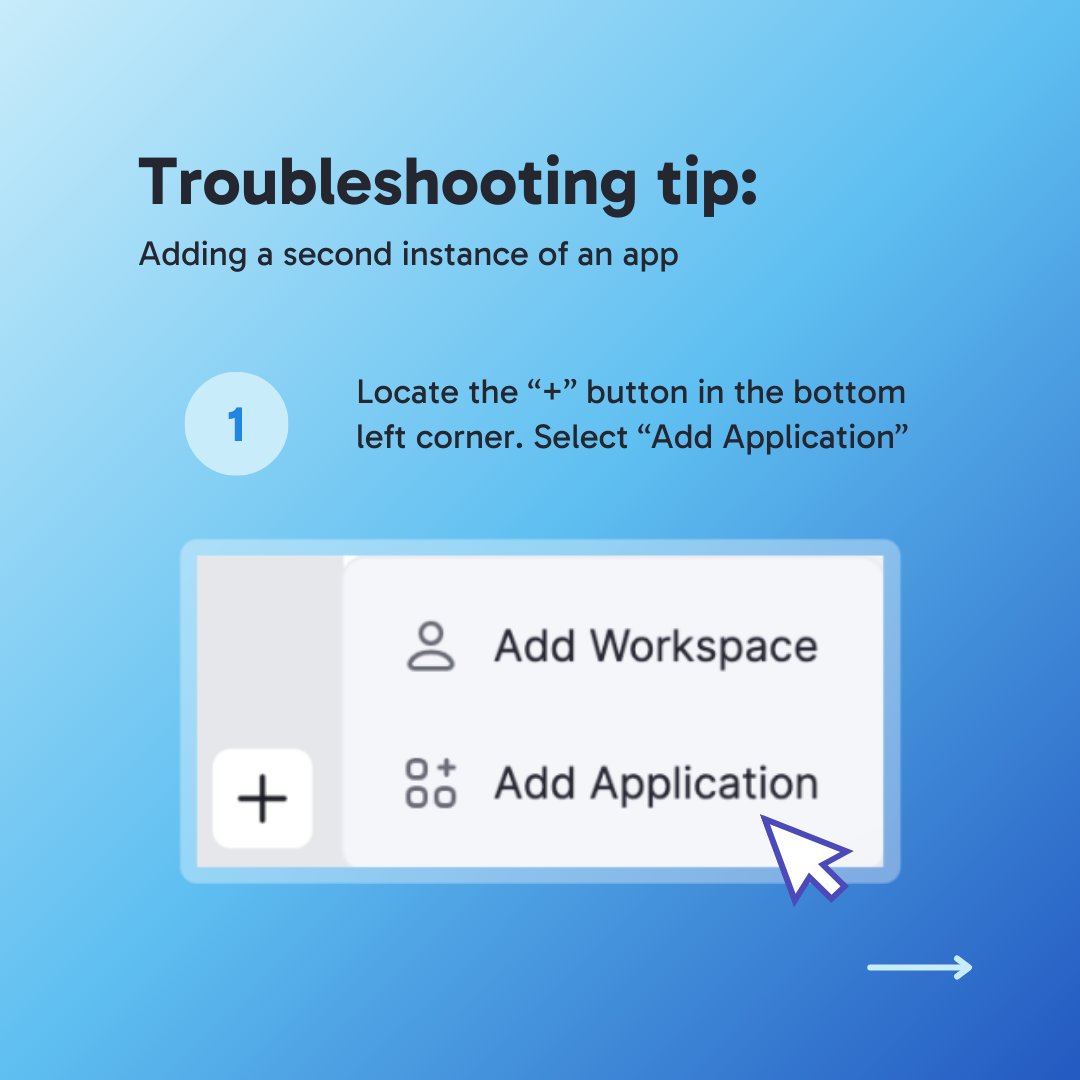
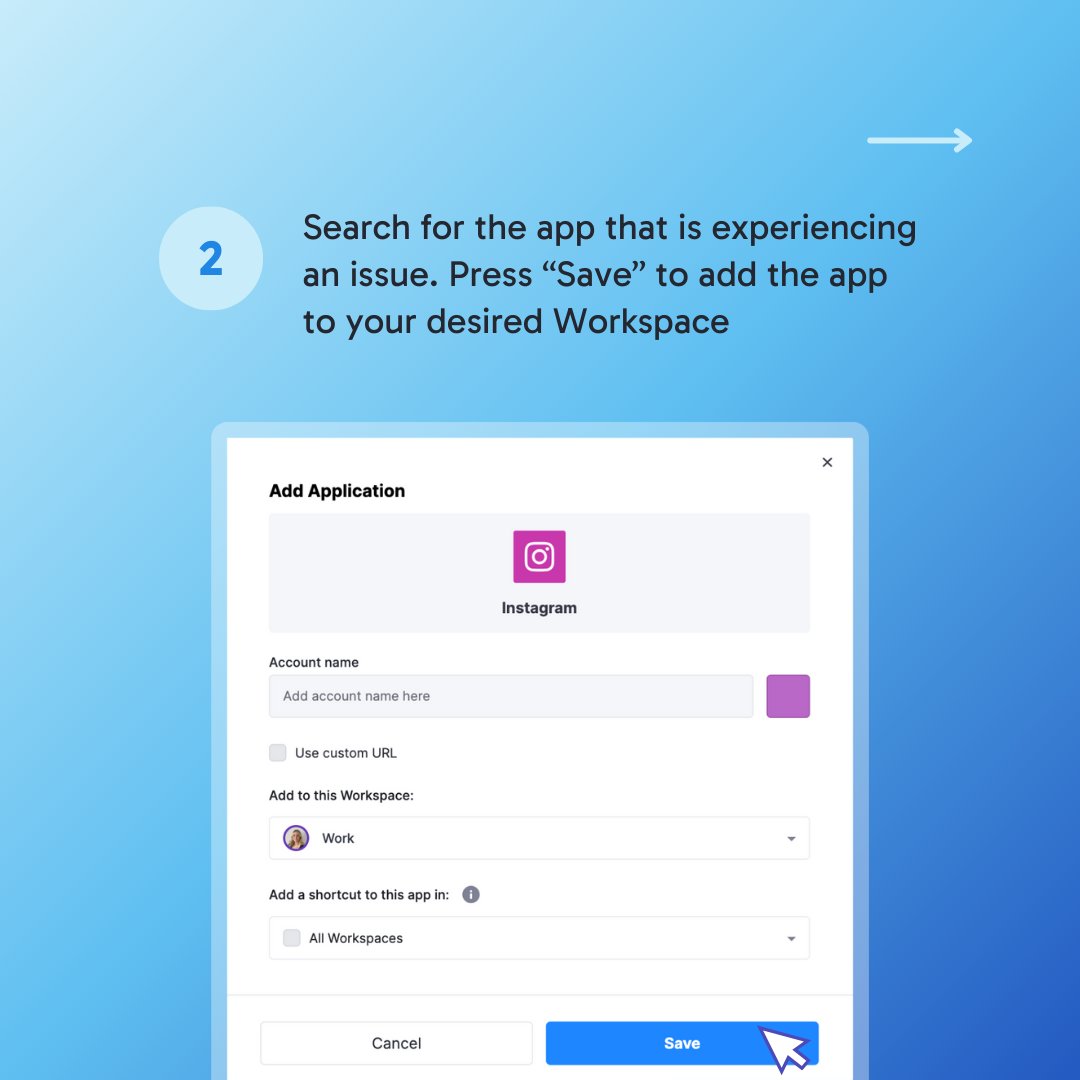
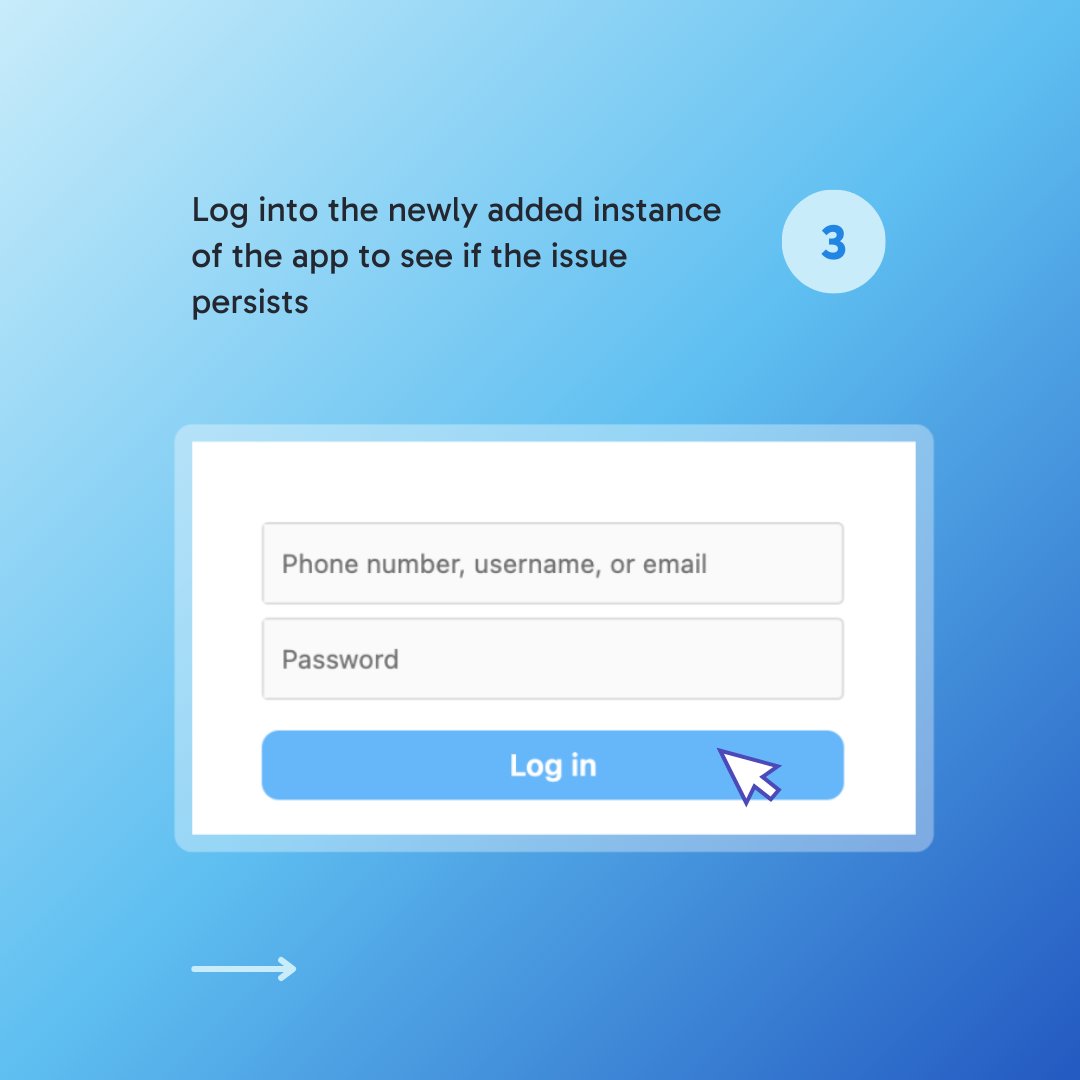
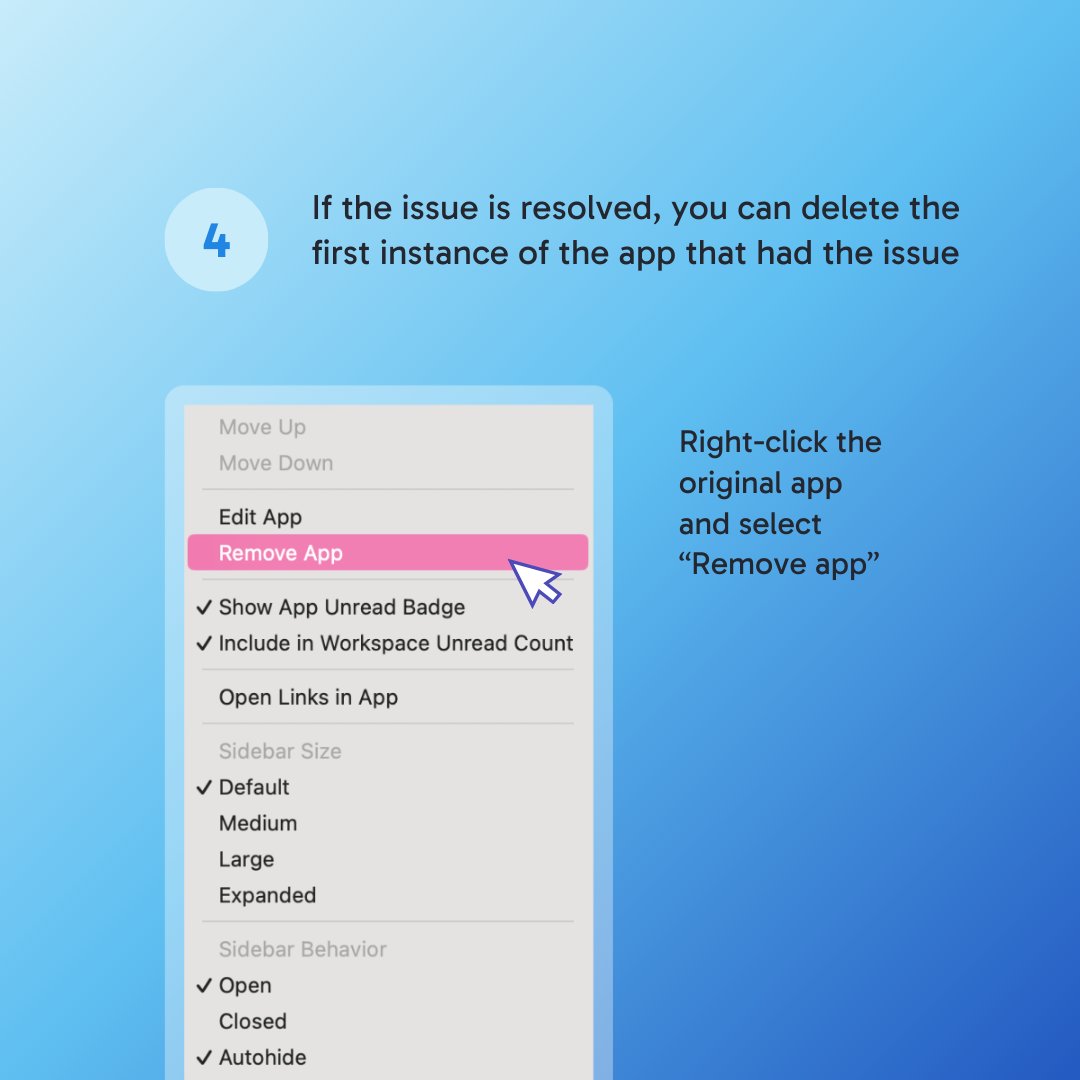
Having trouble with a web app in Shift? Try adding a second instance of the app to create a fresh cookie and cache partition! 🛠️ Check out the steps below. #ShiftTips #Troubleshootinga
109
Shift
Shift @shiftbrowser ·
Is Shift's sidebar taking up too much space? Need new glasses or are your workspaces actually shrinking? You can reset the size of your sidebar anytime! 🖱️ Right-click on the sidebar & select your size preference. Happy browsing! 🚀 #ShiftTips #WorkspaceOrganization
73