Aqeel Anwar
Aqeel Anwar @aqeel15606 ·
Linux Process Management for Beginners - Complete Guide 2025 Managing processes in Linux is one of the core skills that every user should learn, whether you are new to the system or already familiar with the basic commands. Read more on: seeklinux.net/2025/10/linux-… #linux #LINUXtip
Linux Process Management for Beginners - Complete Guide 2025

Comprehensive 2025 guide on Linux process management for beginners, covering how to view, monitor, and control system processes using commands like ps

From seeklinux.net
37
Raj KB
Raj KB @rajkbnp ·
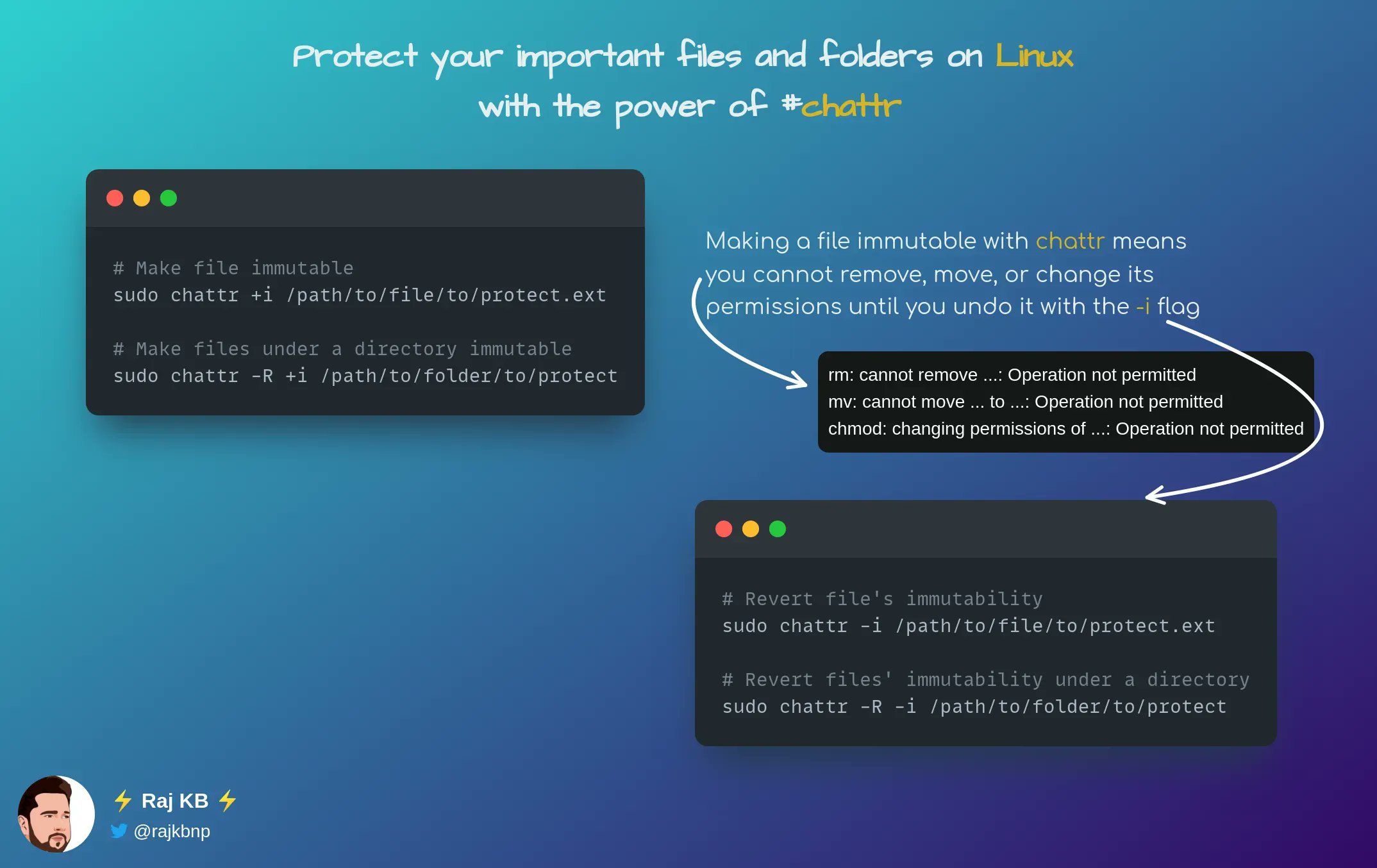
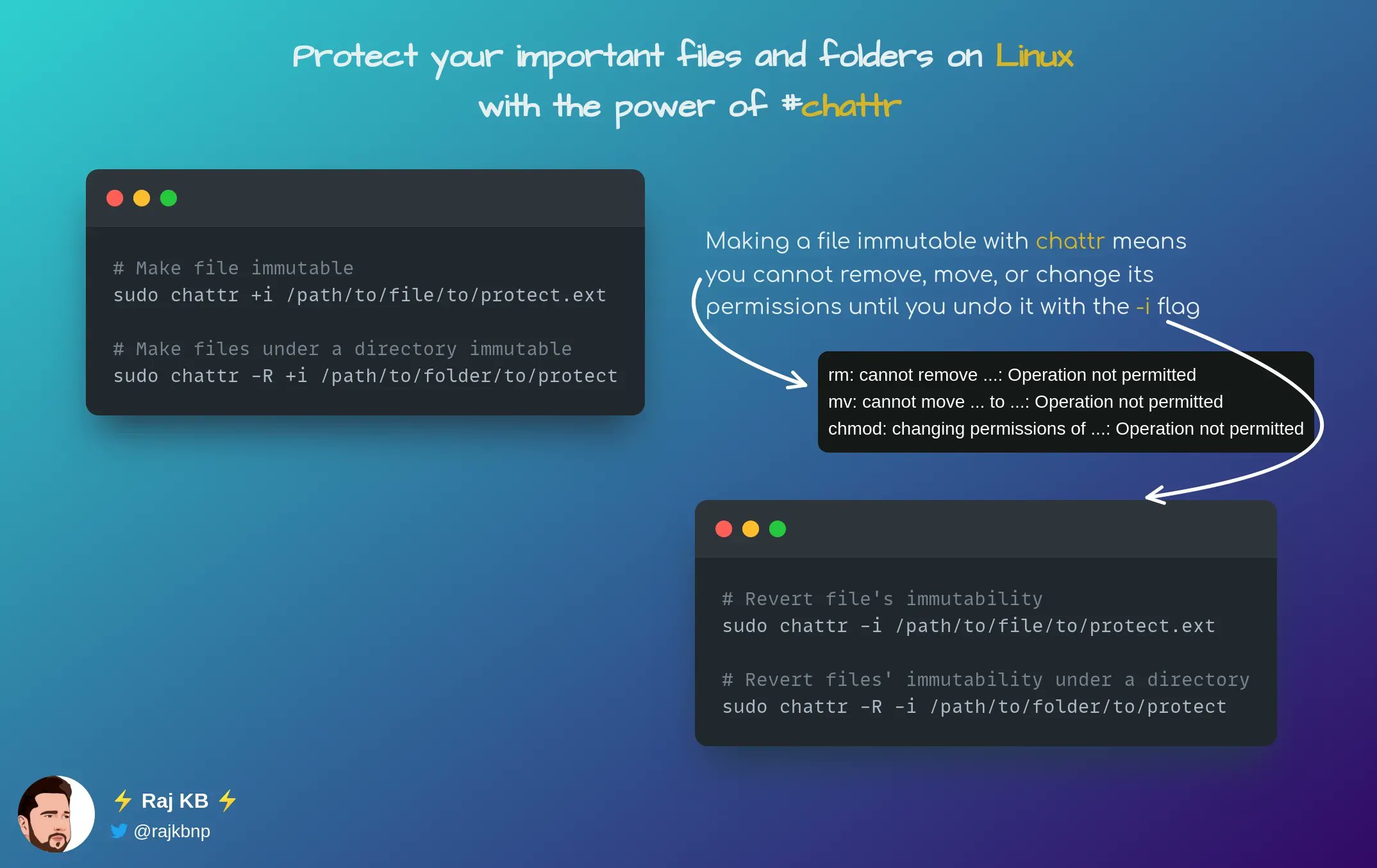
Protect your important files and folders on #Linux with the power of #chattr 💻🔒👇 Elevate your security game by setting immutability flags with just a simple command! #LinuxTip 🐧😎 Say goodbye to accidental deletion and hello to peace of minmcpGB0
42
cyber-ipman
cyber-ipman @Cyberipman ·
#LinuxTip: Press CTRL+Z to pause a script mid-execution. Type 'bg' to resume as a background process, or type 'fg' to continue running in the foreground
48
cyber-ipman
cyber-ipman @Cyberipman ·
#LinuxTip: type "set -x" at the top of your bash scripts if you want every command executed to be written to stdout when the script is executed
46
Raj KB
Raj KB @rajkbnp ·
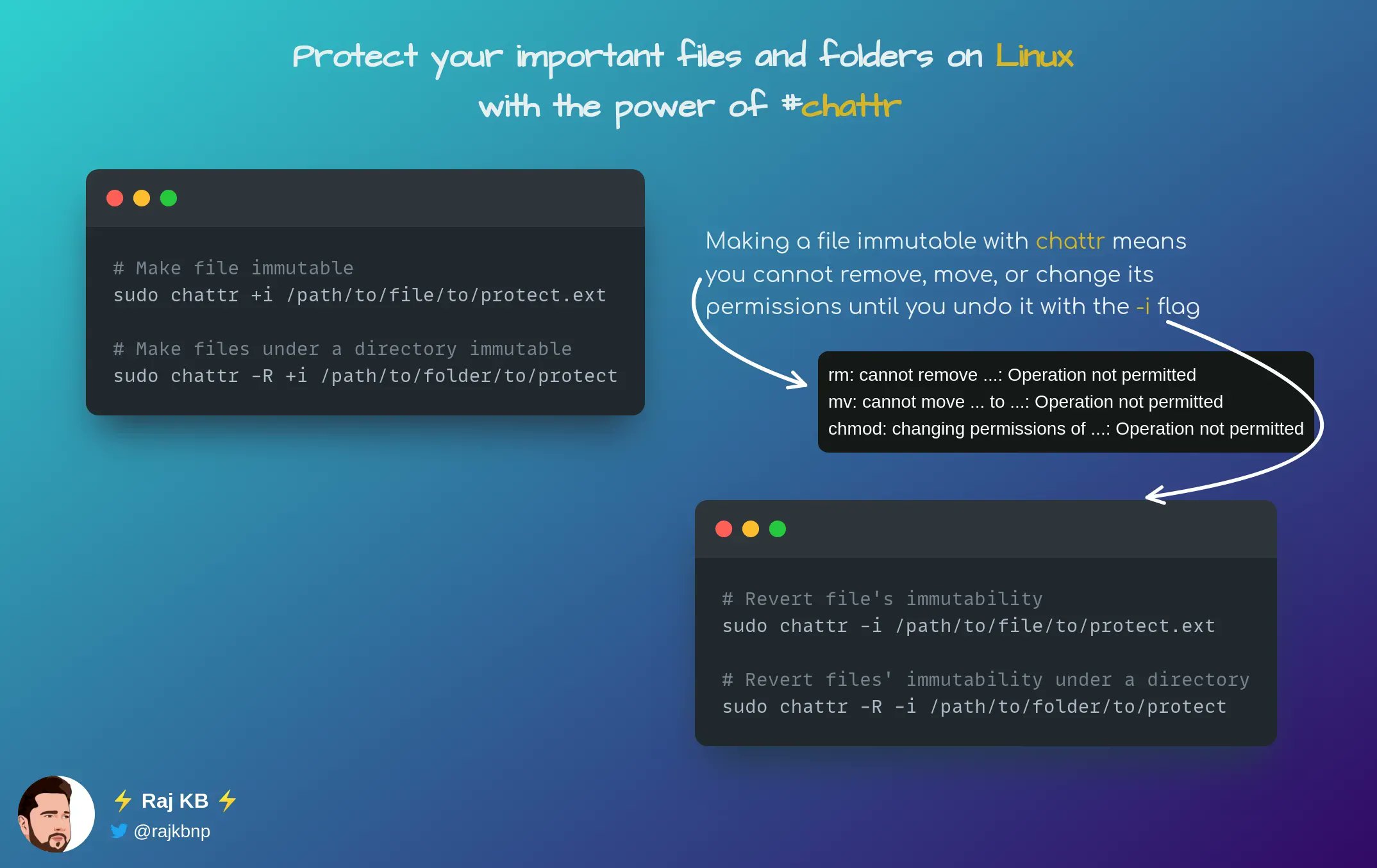
Protect your important files and folders on #Linux with the power of #chattr 💻🔒👇 Elevate your security game by setting immutability flags with just a simple command! #LinuxTip 🐧😎 Say goodbye to accidental deletion and hello to peace of minqUCYXX
42
Raj KB
Raj KB @rajkbnp ·
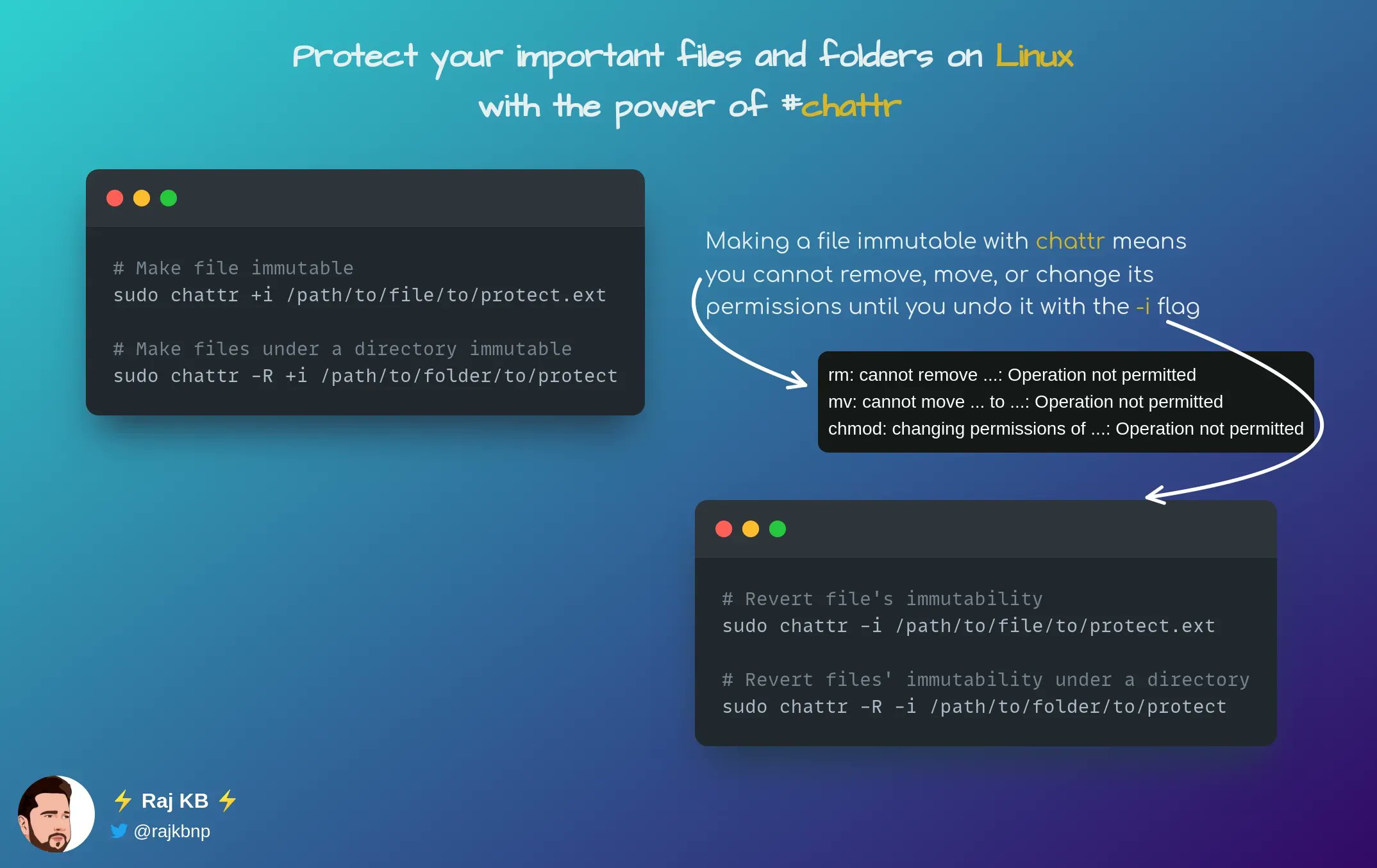
Protect your important files and folders on #Linux with the power of #chattr 💻🔒👇 Elevate your security game by setting immutability flags with just a simple command! #LinuxTip 🐧😎 Say goodbye to accidental deletion and hello to peace of minlgRClj
28
Raj KB
Raj KB @rajkbnp ·
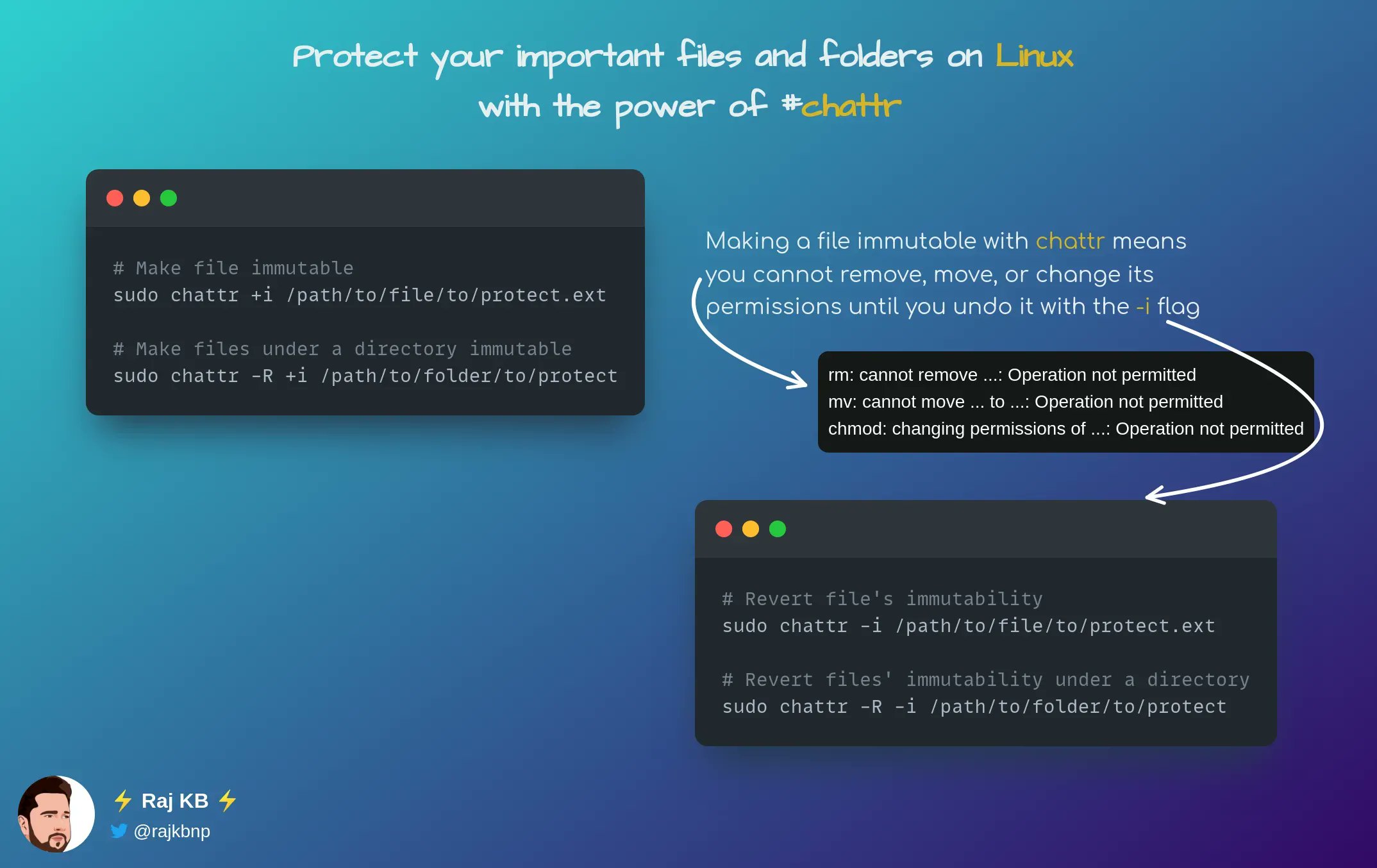
Protect your important files and folders on #Linux with the power of #chattr 💻🔒👇 Elevate your security game by setting immutability flags with just a simple command! #LinuxTip 🐧😎 Say goodbye to accidental deletion and hello to peace of minGt8Mkf
1
61
Lakshan Perera 🇱🇰
Lakshan Perera 🇱🇰 @tecchirp ·
Quick #LinuxTip: Tired of retyping old commands ? Press Ctrl+R in your terminal to search through your command history in real time. Keep pressing Ctrl+R to cycle through matches. when you find what you need, just hit enter. it's a simple way to save time! #Linux #Terminal
69
Raj KB
Raj KB @rajkbnp ·
Protect your important files and folders on #Linux with the power of #chattr 💻🔒👇 Elevate your security game by setting immutability flags with just a simple command! #LinuxTip 🐧😎 Say goodbye to accidental deletion and hello to peace of minCRgMYc
43
Jose Gutierrez
Jose Gutierrez @josefo727 ·
#LinuxTip: Usa el comando 'htop' para monitorear en tiempo real el uso de CPU, memoria y procesos en tu servidor. Es amigable y te permite gestionar procesos fácilmente con su interfaz interactiva. ¡Ideal para administrar recursos en tus sistemas Linux! #Console #Linux #Shell
24
Sysadm.ing
Sysadm.ing @sysadm_ing ·
"Want to master Linux? Remember to always use the command line interface for more control and customization #LinuxTip"
3